Orange Thumbs in the Payment File
Orange Thumbs in the Payment File
In eftsure, an orange thumb in the Payments section flags a verification issue with a payment record. Below are common causes and the steps you can take to address them
1. Entity Not in Vendor Master file

If an entity has an orange thumb with a message indicating that it is not in the master data list, it means the entity is not currently included in your verified records. To resolve this issue:
- Option 1: Quick Add the Entity
- If you have all the necessary details, you can quickly add the entity to your Entities list.
- Once the entity is added, rerun the payment screening. The verification status will update accordingly.
- Option 2: Create an Onboarding
- If you don't have all the details, initiate an onboarding process for the entity to upload the information themselves.
- Once the onboarding is complete, the entity can be verified.
2. Entity Not Verified Yet
If the entity could not be verified and displays an orange thumb:
- The entity's bank account may not be automatically verifiable as the bank does not fall part of eftsure's automatic verification.
- To resolve this, contact eftsure support to either rerun the verification or perform a manual verification.
3. Company Registration/ID Number Not Provided
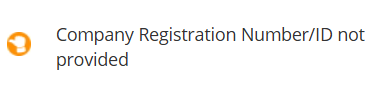
If an orange thumb appears with the message "Company registration/ID number not provided," it means there isn't enough information available to complete the verification process:
- Add the missing registration/ID number to the entity’s record:
- Click the Actions button, then select Manage Entity.
- This will take you to the Entities section, where you can edit the entity record if you have the Entity Manager user right.
- After updating the information, rerun the verification to update the status.
By addressing these orange thumb alerts, you can ensure accurate and complete verification of payment records in the eftsure platform.
Related Articles
Checking a Payment File
How to Check a Payment File in eftsure The “Check Payment File” button enables you to verify the contents of a payment file before proceeding. Step 1: Ensure Pre-Mapping of Payment File Before you can verify a payment file in eftsure or through your ...Red Thumbs in the Payments Section
Red Thumbs in the Payments Section In the Payments section, a red thumb signals a problem with a payment’s verification status. Here are some common causes and how to resolve them: Verified Name Does Not Match Account Name Issue: The underlying ...Payment History Graph
Payment History Graph User Guide The Payment History Graph serves as a powerful tool for monitoring and evaluating payment trends. It allows users to visualise financial data, identify patterns, and make informed decisions. Here's how to navigate and ...Manual Payment Verification
Manual Payment Verification In the eftsure portal, you can manually verify single payments using the “Manual Payment Verification” feature. This allows you to check bank details for payments individually, ensuring that each vendor is verified before ...Uploading a File in the Entities Section: User Guide
Uploading a File in the Entities Section The Upload File option allows you to attach documents or files directly to an entity record. This feature is useful for storing supporting documentation within the entity’s profile. Follow the steps below to ...